 NativTap
Open the Marketing page
- From your Shopify admin, go to Nativtap > Marketing.
- Find the App-only discounts card.
- Select Create discount to make your first discount. If you already have discounts, select View discounts to see them.
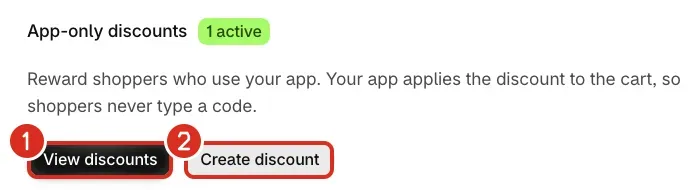
1: View discounts. 2: Create discount.
The badge beside the card title shows how many discounts are active, for example 2 active. It shows Needs attention instead when one of your discounts has a problem.
Common problems
- The App-only discounts card says "Needs attention"
- A discount could not be restored after you reinstalled Nativtap. Select View discounts, open the discount marked "Couldn't restore after reinstall" and fix the reason it gives. See Create an app-only discount.
- Saving a discount says "App-only discounts aren't available in this store"
- Your store is not on Shopify Plus, so nothing was saved. See Create an app-only discount.
Related
Something wrong or out of date on this page? Tell us by email.
Still stuck?
Send us the exact message you see, and what you already tried.